Venntera
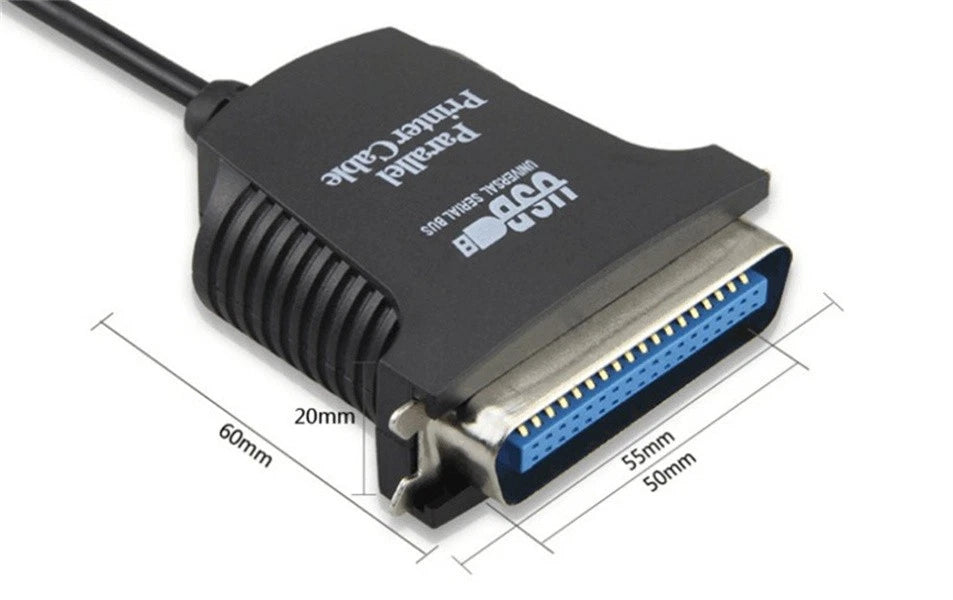
36 Pin USB to Parallel IEEE 1284 Printer Cable Computer PC Lead Adaptor Laptop
36 Pin USB to Parallel IEEE 1284 Printer Cable Computer PC Lead Adaptor Laptop
Couldn't load pickup availability
The use of a USB print line (USB to printer) can convert a standard parallel port printer to a USB interface.
Driver for Windows 98 (in a Windows 2000 environment without a driver), after installation in the USB environment through the print channel to virtualize a print channel.
Features:
Compatible with all standard IEEE 1284 printers, supports EPP/ECP mode.
Support USB1.1 compatible 2.0
Connects directly to the printer port
Compatible with all parallel printers
Supports USB full-speed transfer
Draws power directly from the USB bus
Compatible with USB Printer 1.0 standard
Driver for windows qx/me; in win2000/xp without driver, the system is used directly
Supports APPLE 0S8/0S9 plug and play.
Supports power sleep and recovery management
Compatible with IEEE-1284 1994 (bi-directional parallel interface) standard.
Low-level printer interface driver for Windows 2000 USB port print cable, USB to parallel port, to solve the embarrassment of the laptop, no parallel port can not use the printer,
a printer can make your ordinary (parallel port) printer into a USB printer connection line, the USB port printer.
System Requirements:
Compatible with IBM PC 486DX4-100 and above
Valid USB port
WIN 98 or above version of the operating system
WIN 7 system is not suitable
Product Installation:
01:Connect the parallel port (CN36M) to the device
02:Connect the USB port of the product to the USB port of the computer; in the lower right corner of the system, prompted to find new hardware, and automatically search for a good driver installation
Port Settings:
01:Connect the printer as described above. Please install your printer driver (due to different brands of printers, the installation of drivers
Program method is slightly different, such as will not be installed, please contact the printer manufacturer customer service)
02:Under the operating system, right-click “My Computer” and select “Manage”.
03: In the (Computer Management) window, click (Device Manager) - (Universal Serial Bus Controller) directory; you will see the new USB device being recognized
04: Find the printer icon (the printer needs to install the driver)
05:Click on the printer icon, select (Properties), in the printer properties window, select the “Port” item, the printer's port device for “USB01” (this setting, according to the USB connection of different ports, such as USB002, USB003...). USB003...)
06: Click the (Confirm) button; the device is complete, and the printer can work normally.
Package Included:
1*Printer cable
Share